
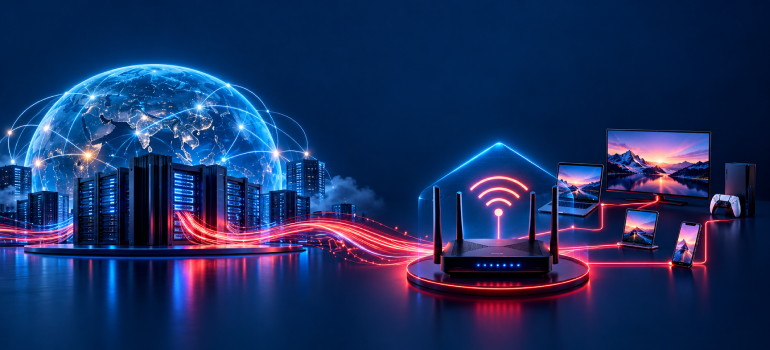
When you connect your phone or laptop to the internet, you may come across terms such as ISP and IP address. They sound similar, but they refer to two different parts of how internet connectivity works.
An ISP (Internet Service Provider) is an organisation that provides internet access. An IP address (Internet Protocol address) is a numerical address used to identify a network interface and help data reach the correct destination.
Understanding the difference between an ISP and an IP address can make it easier to understand how your home broadband connection works and troubleshoot basic networking problems.
What Is an ISP?
An Internet Service Provider (ISP) is a company or organisation that provides individuals, households and businesses with access to the internet.
When you subscribe to a broadband service, your ISP connects your home or workplace network to the wider internet.
ISPs manage the network infrastructure and connectivity arrangements needed to carry internet traffic between their customers and other networks.
Depending on the provider and service, internet access may be delivered through fibre-optic connections, cable networks, wireless technologies, or other infrastructure.
What Does an ISP Do?
An ISP typically performs several functions:
- Provides access to the internet through its network.
- Routes customer traffic towards other connected networks.
- Assigns or facilitates IP addressing for internet connectivity.
- Manages network equipment and infrastructure.
- Provides technical support for services within its responsibility.
The exact services and equipment arrangements vary between providers.
In simple terms, an ISP gives your home network a way to communicate with the rest of the internet.
What Is an IP Address?
An IP address is a numerical address used by Internet Protocol to identify a network interface and help route data across networks.
IP addresses are important because internet communication involves sending information between different devices and systems.
For example, when you open a website, your device sends a request through the network. IP addressing helps direct that request towards the destination and allows responses to return through the appropriate network path.
An IP address is not a company, subscription, or physical internet connection.
It is part of the addressing system used for network communication.
Example of an IP Address
An IPv4 address consists of four decimal numbers separated by dots.
For example:
192.0.2.10
IPv6 addresses use a longer hexadecimal format, such as:
2001:db8::10
These are documentation examples rather than actual addresses assigned to your home connection.
ISP vs IP Address: Key Differences
The main difference is straightforward: an ISP provides internet connectivity, while an IP address helps identify network interfaces and route data.
|
Feature |
ISP |
IP Address |
|
Full form |
Internet Service Provider |
Internet Protocol Address |
|
Meaning |
An organisation providing internet access |
A numerical network address |
|
Main purpose |
Connect customers to the internet |
Help identify interfaces and route data |
|
Example |
A broadband service provider |
192.0.2.10 |
|
Role in connectivity |
Provides and manages internet access |
Supports communication between networks |
|
Can it change? |
You can switch providers |
Addresses may change depending on the assignment. |
|
Is it a physical device? |
No |
No |
|
Is it a subscription? |
Internet access is commonly subscription-based |
No |
An easy way to remember the distinction is that the ISP provides the connection, while IP addresses help network traffic reach the correct destinations.
How Do ISPs and IP Addresses Work Together?
Consider a household using a fibre broadband connection.
The ISP provides internet access to the home through the appropriate network infrastructure and equipment.
Inside the home, a router connects phones, laptops, smart televisions and other devices to the local network.
Each device needs appropriate network addressing to communicate.
A typical home connection works like this:
- Your device joins the home network. A phone or laptop connects through Wi-Fi or Ethernet.
- The device receives local network settings. The router commonly assigns a private IPv4 address using DHCP.
- The home network connects through the ISP. The router or another customer-premises device communicates with the provider’s network.
- Your request travels towards its destination. Routers use IP addresses to forward traffic between networks.
- The response returns. The network directs the response back towards your connection and device.
For many IPv4 home connections, the router uses Network Address Translation (NAT) so multiple local devices can share an upstream address.
Some providers also use Carrier-Grade NAT (CGNAT), meaning several customer connections may share a public IPv4 address.
This is why the IP address visible to a website is not always the same as the address shown in your device’s Wi-Fi settings.
Different Types of IP Addresses
IP addresses can be classified in several ways. The most useful distinctions for everyday broadband users are public versus private, static versus dynamic, and IPv4 versus IPv6.
Public vs Private IP Addresses
A public IP address is used for communication across the public internet.
A private IPv4 address is used within a local network, such as a home or office.
For example, your laptop might use a private address beginning with 192.168, while your home connection communicates with external services through a public address.
Private IPv4 addresses are not routed directly across the public internet.
In a typical home network, the router handles communication between private devices and external networks.
However, if your ISP uses CGNAT, your router may receive a shared-address-range or other non-public upstream IPv4 address rather than its own directly reachable public IPv4 address.
Static vs Dynamic IP Addresses
A static IP address is intended to remain fixed for a particular assignment.
A dynamic IP address is assigned automatically and may change over time.
Dynamic addressing is common in residential internet connections because it allows providers to manage address assignments efficiently.
Static addressing can be useful for certain networking requirements, although its availability depends on the provider and service.
The distinction is explained further in BBNL’s article on static vs dynamic IP addresses.
IPv4 vs IPv6
IPv4 and IPv6 are two versions of Internet Protocol.
IPv4 uses 32-bit addresses, usually written as four decimal numbers separated by dots.
IPv6 uses 128-bit addresses, usually written in hexadecimal notation separated by colons.
IPv6 provides a much larger address space than IPv4.
A network may support IPv4, IPv6, or both, depending on its configuration and the services available.
Does Your ISP Assign Your IP Address?
Generally, yes. Your ISP provides or facilitates the addressing required for your connection to communicate with other networks.
Internet address resources are coordinated globally through IANA and distributed through regional registries and network operators.
ISPs obtain address resources through this system and use them to serve customers.
However, the exact arrangement depends on the connection.
For example, your ISP may assign a public IPv4 address directly to your connection, provide IPv6 addressing, or use CGNAT for IPv4 connectivity.
Meanwhile, your home router commonly assigns private IPv4 addresses to devices on the local network.
This means your phone’s local IP address and the public IP address associated with your internet traffic can be different.
How to Find Your ISP and IP Address
You can usually identify your internet service provider from your broadband bill, account information, or service agreement.
Finding an IP address depends on which address you want to check.
Check Your Private IP Address
On a phone or computer, open the connected network’s details.
Look for a field labelled IP address, IPv4 address or similar.
The exact location varies by operating system.
This usually shows the address assigned to your device on the local network.
Check Your Public IP Address
You can use a reputable public IP lookup service to see the address through which your internet traffic appears externally.
Remember that this may be a shared public IPv4 address if your provider uses CGNAT.
A VPN or proxy can also change which public address an external service sees.
Check Your Router’s Upstream Address
If you have permission to access the router’s administration interface, you may find its upstream address under Internet, WAN, or connection settings.
Do not change network settings simply to inspect an address.
If the upstream IPv4 address differs from the public address shown by an external lookup service, an additional layer of NAT may be involved.
Conclusion
Understanding ISP vs IP address helps clarify two essential parts of internet connectivity.
An ISP provides access to the internet and manages the network services needed to carry traffic. An IP address supports communication by identifying network interfaces and helping data reach the appropriate destination.
Your ISP and IP addresses work together, but they are not interchangeable terms.
Knowing the difference between public and private addresses, static and dynamic assignments, and IPv4 and IPv6 can also make everyday networking concepts easier to understand.


