
Introduction
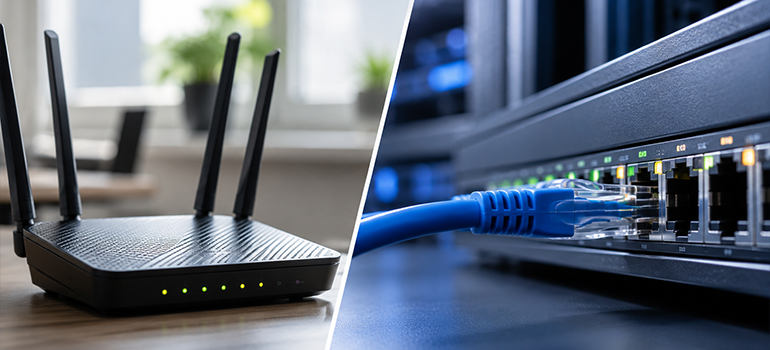
When connecting your devices to the internet, you have two alternatives, i.e., Ethernet and Wi-Fi. Ethernet uses a physical network cable to establish an internet connection between the router and the device. On the other hand, Wi-Fi provides a wireless connection, thereby allowing devices like smart TVs, laptops, tablets, and smartphones to access the internet without any cable connection.
Though both the technologies provide a reliable internet connection, but differ significantly in terms of speed, latency, security, mobility, and convenience. However, understanding the differences will help you choose the right internet connection for all your day-to-day activities.
Let’s understand comprehensively about Wi-Fi, Ethernet,advantages, disadvantages, its differences, and which one suits your everyday internet requirements.
What is Wi-Fi?
The term “Wi-Fi”, which stands for Wireless Fidelity, is a wireless networking technology that enables devices to connect to a network and access the internet using radio signals that are transmitted from wireless access points (WAPs). It provides flexibility, mobility, and easy usage for users across the wireless access points.
Modern Wi-Fi standards, including Wi-Fi 6 and Wi-Fi 7 provide improved speeds, efficiency, performance, and efficiency compared to previous versions of Wi-Fi.
Advantages of Wi-Fi
-
Mobility
Wi-Fi users can easily move around the Wi-Fi coverage area while being connected to the network.
-
Multiple Device Connectivity
Multiple devices can connect to the same wireless network without need for additional hardware equipments.
-
Reduced Clutter
Installing a wireless connection reduces the need for ethernet cables around your office/home premises.
-
Convenient for Mobile Devices
Devices such as smartphones, laptops, tablets, and other smart home devices rely primarily on Wi-Fi for internet connectivity.
Disadvantages of Wi-Fi
-
Security Risks
Wireless connections are more susceptible to hacking and other fraudulent activities and thus require better encryption.
-
Signal Interference
Several obstacles, such as walls, can interfere with the speed or stability of the Wi-Fi signals.
-
Speed
Wireless connections are generally slower than ethernet majorly due to interferences, router limitations, number of connected users, and distance between the devices.
What is Ethernet?
Ethernet is a wired networking standard that connects devices to a network using physical cables. In fact, ethernet remains as the foundation for most business networks as it provides consistent performance and strong security.
Ethernet cables are available in several categories, such as Cat5e (Category 5 Enhanced), Cat6 (Category 6), Cat6a (Category 6 Augmented), and Cat8(Category 8), with varied speed, capabilities, and transmission performance.
Ethernet operates in two layers of OSI (Open System Interconnection) model, i.e., Physical Layer and Data Link Layer.
Advantages of Ethernet
-
Security
Ethernet is an improvisation on Wi-Fi and cannot be accessed without a secure connection to the computer.
-
Stable Connection
Ethernet connections can withstand the interference caused by physical barriers thereby providing a more stable internet connection.
-
Suitable for Higher Bandwidth Activities
Ethernet connections are useful for large file transfers, gaming, and high-quality video streaming.
Disadvantages of Ethernet
-
Limited Mobility
As the devices need to be plugged to modem or router through a cable, you can not move around as with Wi-Fi.
-
More Clutter
Restricted connectivity to what the length of the cable and more clutter around the connectivity area.
-
Complex Installation
The network installation using ethernet can be complex particularly in large organizations where it is necessary to pass the cable connections through walls and long distances within the building.
Differences between Wi-Fi and Ethernet
| Comparison | Wi-Fi | Ethernet |
| Connection type | Wireless | Wired |
| Definition | Wi-Fi is a wireless networking technology that enables devices to connect to a network and access the internet using radio signals. | Ethernet is a wired networking standard that connects devices to a network using physical cables. |
| Security | Requires wireless encryption | Difficult to access remotely |
| Speed | Wi-Fi provides high speed connections under suitable conditions | Ethernet provides fast and consistent speeds |
| Best suitable for | Portable devices | Workstations, high intensive works, and gaming |
| Installation | Wi-Fi is easy to install and deploy | Ethernet is difficult to install and time consuming |
| Convenience and Mobility | Wi-Fi connection allows you to connect your devices without cables and stay connected while you move from one room to another within the same building | Ethernet connection requires cable connection making it less convenient for portable devices. |
| Interference | Wireless networks can experience interferences and affects signal strength and performance | Ethernet is unaffected by wireless interference as the data travels through a physical cable |
When to Choose Wi-Fi vs Ethernet?
If you are still unsure of which option suits your needs, we have outlined some of the common use cases below which help you choose between Wi-Fi and Ethernet.
| Wi-Fi | Ethernet |
| Guest internet access | Video conferencing |
| Mobile devices | VoIP desk phones |
| Warehouse/Retail floor | POS systems |
| Large open space | Large open space |
| Homes and Personal Devices | IT infrastructure/server rooms |
Overall, Wi-Fi offers flexibility, convenience, allowing employees to stay connected throughout the workplace, whereas Ethernet is suitable for the applications/activities that demand high-speed and stable internet connection.
Final Thoughts
When comparing Wi-Fi vs Ethernet, the biggest difference is how the connection is established. Wi-Fi uses wireless signals, while Ethernet uses a physical network cable.
Your choice should ultimately depend on your device, usage requirements, network environment, and desired level of performance. If mobility is important, Wi-Fi is the natural choice. If stability and low latency are your priorities, Ethernet is indeed a better option.


